From Product URL to Content: The Automated Workflow
Learn how to turn any product URL into ready-to-publish content. A step-by-step workflow for automating ecommerce content creation.
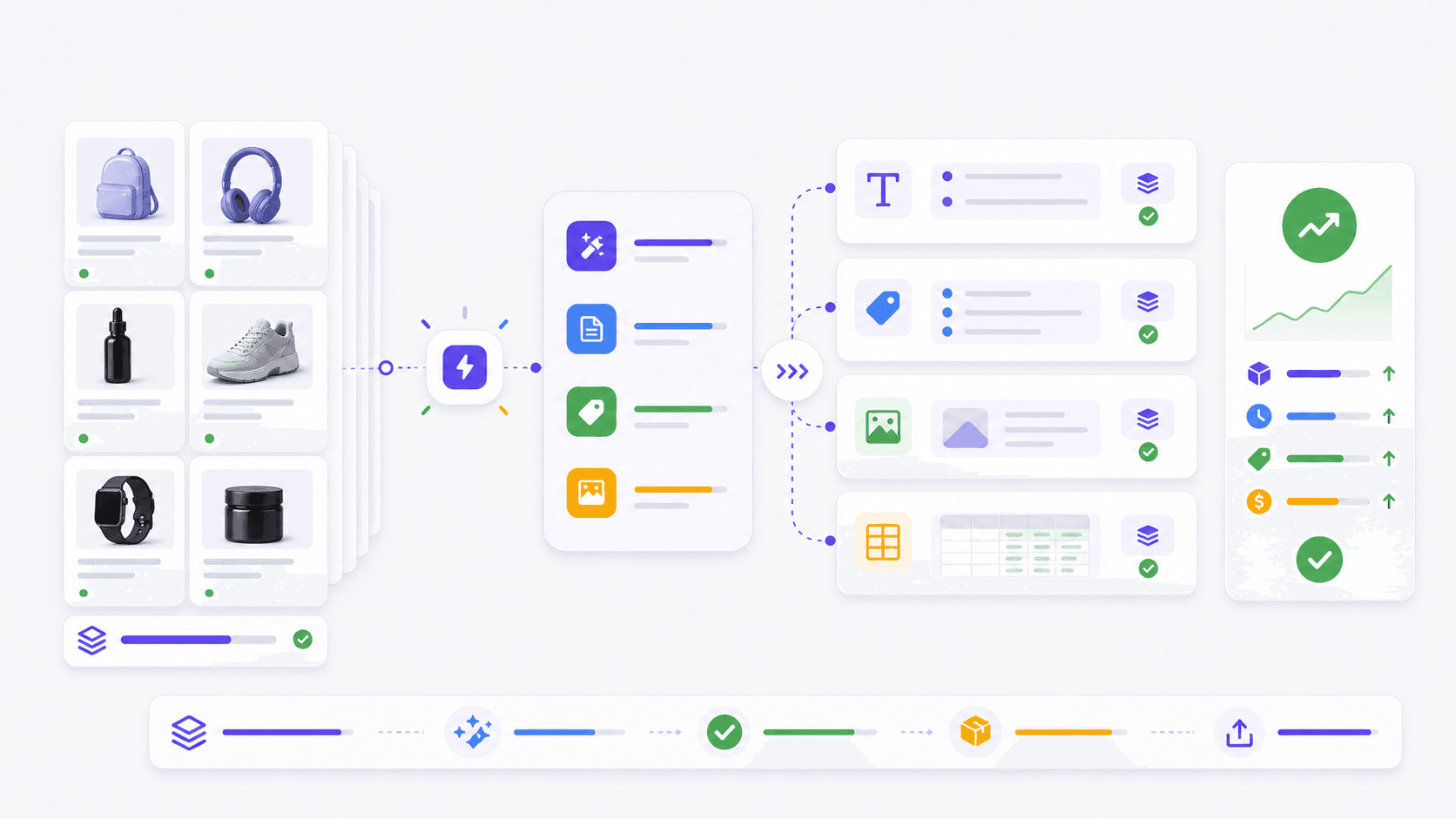
The product URL to content workflow transforms a single link into a complete content pack. No manual data entry. No copy-pasting specs. Just paste a URL and get publishable content.
The traditional workflow is broken
Most ecommerce teams follow a painful content workflow:
- Visit the product page
- Copy the title, specs, and images
- Write a description from scratch
- Create SEO metadata
- Write image alt text
- Format everything for Shopify
- Publish
This takes 15-30 minutes per product. For a store with 100 new products per month, that is 25-50 hours of work. It is slow, expensive, and error-prone.
The automated workflow
The automated workflow replaces manual steps with AI. Here is how it works.
Step 1: Paste the product URL
The tool extracts data from the product page. This includes:
- Product title
- Price and currency
- Images
- Specifications
- Seller information
- Source URL
Step 2: AI analyzes the data
The AI processes the extracted data and generates content:
- Product description (150-300 words)
- SEO title and meta description
- Product tags
- Image alt text
- HTML-formatted description
Step 3: Review and customize
The generated content is a starting point. Review it for:
- Accuracy of specs
- Brand voice alignment
- Keyword optimization
- Unique selling points
Step 4: Export and publish
Copy the content to your Shopify store. Or export it as CSV for bulk import. The workflow is done in minutes, not hours.
Case study: 500-product catalog
A mid-size ecommerce store had 500 products with manufacturer descriptions. They wanted unique, SEO-optimized content for each.
The problem
- 500 products × 20 minutes each = 167 hours of work
- Estimated cost: $5,000+ for a copywriter
- Timeline: 4-6 weeks
The solution
Using Listo, they generated content for all 500 products in one day.
The results
- Time spent: 8 hours (including review and edits)
- Cost: pay-as-you-go Listo credits
- SEO improvement: 35% increase in organic traffic within 3 months
- Conversion rate: 12% increase on updated product pages
Integration with your existing workflow
The product URL to content workflow integrates with your existing tools.
Shopify CSV workflow
Generate Shopify-ready content, review every field, then paste it into Shopify Admin or import a CSV row. This keeps the workflow lightweight because no Shopify app, token, or OAuth setup is required.
CSV export
For stores that use bulk import, export content as CSV. Upload it to Shopify, WooCommerce, or any other platform.
API access
For developers, Listo offers API access. Integrate content generation into your custom workflow or app.
Webhooks
Trigger content generation automatically when new products are added. No manual intervention required.
Tips for the best results
1. Use the original product URL
Shortened URLs or redirects may not extract data correctly. Use the direct product page URL.
2. Review generated content
AI-generated content is not perfect. Always review for accuracy, especially technical specifications.
3. Customize for your brand
Add your brand voice, unique selling points, and calls to action. The AI provides the foundation; you add the personality.
4. Optimize for SEO
Include your target keywords in the description and meta tags. Use the AI-generated suggestions as a starting point.
5. Update regularly
Product information changes. Prices fluctuate. Specifications are updated. Regenerate content periodically to keep it current.
Common questions
What types of product URLs work?
Any publicly accessible product page works. This includes Shopify stores, Amazon listings, AliExpress products, and manufacturer websites.
How accurate is the extracted data?
Accuracy depends on the source page. Well-structured pages produce better results. Always review the extracted data before generating content.
Can I generate content in different languages?
Yes. Listo supports multiple languages. Generate content in the language of your target market.
Is there a limit to how many URLs I can process?
It depends on your plan. Listo offers plans for stores of all sizes, from 10 products to 10,000.
Conclusion
The product URL to content workflow saves time, reduces costs, and improves content quality. It is the fastest way to create ecommerce content at scale.
Listo makes this workflow simple. Paste a URL and get a complete content pack in seconds. Try it with your next product and see the difference.